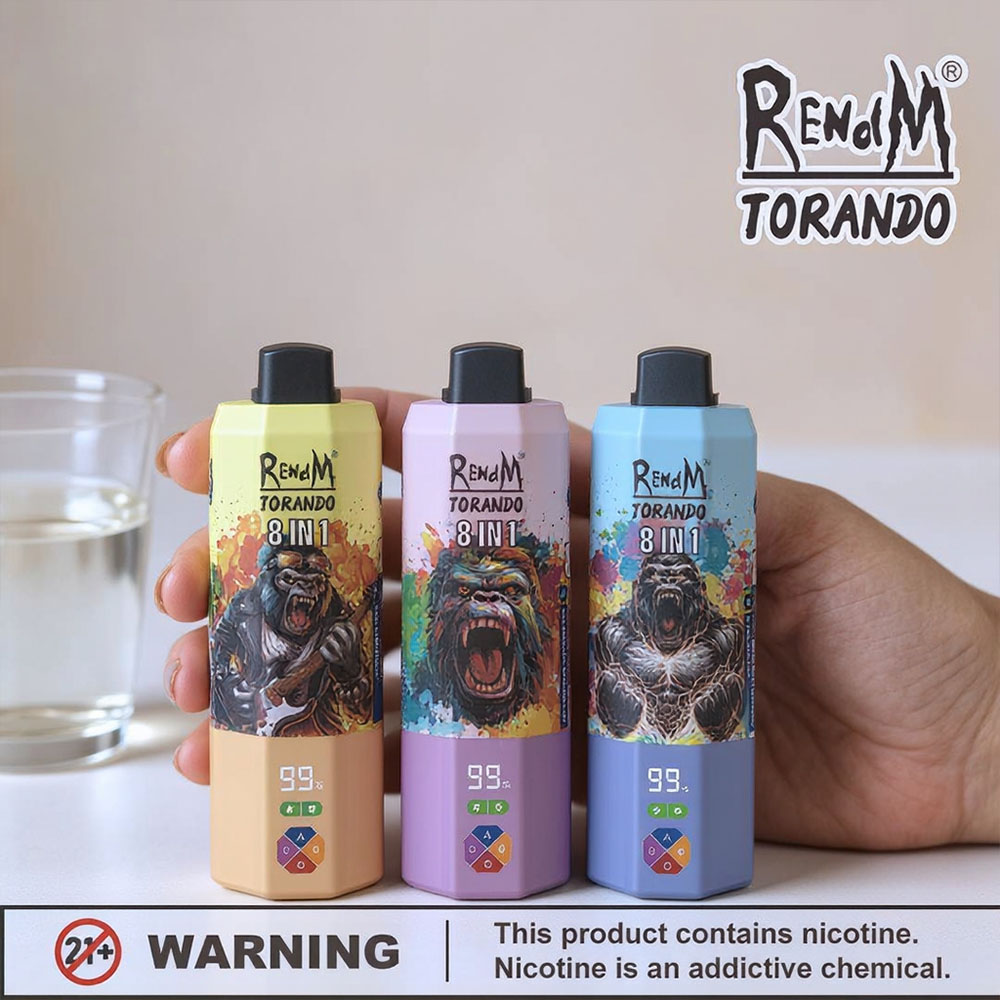










Opening the CCELL Disposable: Unseal the packaging, turn on the device—but do not take it apart
Direct answer: For a CCELL Disposable, simply open the retail packaging and remove any clearly identifiable shipping caps, protective films, or airflow stickers. Then check the instructions for the pre-filled product. Many CCELL all-in-one devices are draw-activated and do not require a separate power button. However, as a consumer, you should not pry apart the mouthpiece and the body: They are part of the sealed hardware and may expose or damage the battery, electronics, or the filled compartment.
The search query “how to open CCELL disposable vape” is ambiguous. Some users simply want to open a sealed pouch and start the device for the first time. Others are looking for a way to remove the mouthpiece or casing because the vape is empty, clogged, or appears to be defective. From a technical and safety standpoint, these two actions are not the same.
CCELL is also not a single, ready-to-use vape device, but rather a hardware brand offering a variety of all-in-one devices, cartridges, pods, and batteries. According to CCELL, the company manufactures the hardware but does not fill the end-consumer products with e-liquid itself. Therefore, the model name, the manufacturer, the brand name, and regional packaging determine what is included and how the product is operated. The CCELL logo alone does not replace the product manual.

What exactly does "Open CCELL Disposable" mean?
To be sure, it’s best to first identify the visible parts. Anything that can be identified without tools as packaging or transport protection may be removed before the intended launch. Anything that is an integral part of the mouthpiece, tank, or housing should remain attached. The following overview distinguishes between the two categories.
| Visible part | Typical Function | Safe Action | Don't do this |
| Bag, box, or blister pack | Retail and Hygiene Packaging | Open along the designated tab or edge | Damage the device with a sharp tool |
| Loose silicone or plastic cap | Protection for the mouthpiece or underside | Remove only if clearly identifiable as a transport part | Fixed mouthpiece with a pull tab |
| Sticker over the air vent | Transport Protection | Remove Completely | Insert a tool into the opening |
| Switch or Lock | Model-specific transport or child safety features | Follow the instructions and labels | Force unknown click sequences |
| Rigid mouthpiece and housing | Sealed Product and Battery Compartment | Leave it intact | Lift, turn, cut, or refill |
First, decide: All-in-one, cartridge, or pod system?
Not every product featuring CCELL hardware is a disposable device. An all-in-one device combines the tank, heating element, and battery in a single housing. A CCELL cartridge, on the other hand, is connected to a compatible battery. In a pod system, the pod and battery are separate components. Therefore, depending on the category, “opening” means something different: removing the packaging, inserting the cartridge, or connecting the pod—it does not automatically mean taking apart a sealed component.
- All-in-One/Disposable: a ready-to-use device with a built-in battery; often activated by an automatic draw mechanism.
- Cartridge: a separate container that is screwed onto a compatible battery or inserted magnetically.
- Pod system: replaceable pod and rechargeable battery; only disconnect the designated connections.
- Empty OEM hardware: A product for professional fillers; not necessarily a consumer product intended for self-filling.
Therefore, first check the consumer packaging. It should include the specific product name, ingredient list, name of the manufacturer, lot information, warnings, and usage instructions. If any of this information is missing or if the seal appears to have been tampered with, it’s better not to use the product than to take a test puff.
The retail packaging is more important than the CCELL logo
Two CCELL devices that look similar on the outside may be filled, labeled, and sold by different companies. Therefore, neither the contents nor how the device works can be reliably determined based on its physical appearance. Before you open the bag, the packaging should answer six practical questions. If any of these questions remain unanswered, look up the official product page of the manufacturer or ask the retailer instead of testing the device on a hunch.
- Who sells the finished product? Look for the brand name, the company responsible, and contact information—not just the CCELL name on the hardware.
- What is included? The ingredients, volume, concentration, and required warning labels must be appropriate for the specific product category. It is not possible to determine the contents with certainty from a visible container.
- What is the exact version? The model name, capacity, charging port, and any lock mechanism may vary even within a single product family.
- How do you turn on the device? Look for icons for automatic draw, the power switch, child lock, preheating, or transport mode. Instructions for a different CCELL model are not a substitute.
- Is the product traceable? Batch numbers, production dates, best-by dates, authenticity features, and proof of purchase are helpful in the event of inquiries or complaints.
- Does the labeling match the point of sale? The language, age rating, disposal symbol, and regional information should be clear and complete.
Special caution is advised with devices sold separately without their original packaging. A used, secondhand, or All-in-One device with an unknown contents cannot be reliably assessed based on smell, color, or the shape of its casing. Opening it does not provide any assurance; rather, it removes additional protective barriers. If the origin is unclear, the product should not be used.
In Germany, nicotine-containing e-cigarettes are subject to specific labeling and warning requirements. CCELL, on the other hand, describes its official all-in-one portfolio as hardware designed for various oil formulations. These product categories should not automatically be equated. The specific, pre-labeled end product purchased is always the determining factor.
If a QR code links to instructions, check the destination URL before opening it. It should belong to the official brand or the company responsible and show the exact same model. Any video tutorial featuring a similarly designed case may refer to a different lock mechanism, charging port, or mouthpiece closure. Save the instructions or take a photo of the packaging before discarding it; this will ensure that model-specific and safety information remains available later.
How to Safely Unpack a CCELL Disposable: Step by Step
- Check the seal and product information
Inspect the bag, box, or blister pack before opening. The packaging should not be torn, damp, severely crushed, or have any sticky residue on it. Compare the product name on the packaging with the one on the device. Since CCELL states that it only supplies hardware, the information provided by the manufacturer or brand regarding contents and usage is decisive.
- Open the package at the designated location
Use an existing tear notch, tab, or easily identifiable edge. If scissors are necessary, keep the device away from the cutting area and cut only the outer packaging. A accidentally scratched casing, a damaged charging port, or leaking liquid are reasons not to use the product.
- Remove any loose transport caps and protective film
Some devices come with a loose cap over the mouthpiece, a cover on the bottom, or a sticker over an air vent. These parts can be removed without applying force. Check the front and bottom, but do not pull on a mouthpiece that is firmly attached. If you are unsure whether a part belongs to the packaging or the device, stop and consult the model-specific instructions.
- Check the device for damage on the outside
The case should be straight, dry, and sealed. Check for cracks, deformation, leaks, unusual odors, or a loose charging port. Do not charge or test a device that is already warm or appears swollen. Keep unknown liquids away from your skin and eyes, and keep the product out of the reach of children.
- Check the lock, switch, and charging function using the model
CCELL offers models with a variety of features. Its official product lineup includes draw-activated devices, USB-C models, models with a switch, and products with child locks. As a result, there is no universal rule regarding clicking or sliding. Follow only the instructions specified on the actual consumer packaging or in the accompanying manual. Charge only devices that are explicitly labeled as rechargeable and are undamaged.
- Test the automatic feed mechanism only on products that have been clearly approved
Many CCELL all-in-one devices are activated by a draft. If all intended safety components have been removed, the product is correctly labeled, and there is no visible damage, simply following the instructions in the manual is usually sufficient. If the LED does not light up, do not inhale harder and do not open the device. First, check whether an air vent is blocked, a lock is engaged, or—for rechargeable models—the battery is dead.
You can find additional information on the general external tests for tension-activated devices in Getting Started with a Disposable Vape: Instructions and Troubleshooting. This article supplements this foundation by introducing the CCELL-specific distinction between hardware manufacturers and assemblers.
Why the CCELL mouthpiece looks sturdy—yet still stays closed
Some official CCELL product pages describe screw-on or snap-fit mouthpieces and a professional capping process. This information is intended for manufacturers and fillers prior to the sale of a finished product. Once capped, the mouthpiece is part of the final product. The fact that it was attached during production does not mean it is intended to be repeatedly opened by consumers.
Prying the device open can damage the seal and the airflow path. Liquid may leak out or seep toward the sensor and electronics. Tools can also crush or puncture the built-in lithium battery. A seemingly simple gap in the mouthpiece is therefore not an invitation to open the device. The official CCELL All-in-One overview also states that these devices should not be reused after they have been used up.
This explains how the battery, air sensor, coil, and e-liquid chamber generally work together What's inside a disposable vape? without providing disassembly instructions.
CCELL won't open or draw: safety checks for outdoor use
If a newly unboxed device isn't responding, stick to tests that don't alter the casing or any sealed parts. For a new product, first document the model, brand, date of purchase, and LED behavior. This way, you can file a claim for a defect without destroying evidence by attempting to open the device.
- Check again for a loose mouthpiece plug, base cover, or airflow sticker.
- Check to see if your finger is covering a visible air vent when you hold it.
- Check the packaging or product page for a model-specific lock or switch.
- Use only the designated charging port and follow the manufacturer's instructions for devices that are explicitly designed to be rechargeable.
- If the device still does not work, contact the retailer or the brand responsible for sales instead of opening the mouthpiece or the housing.
Stop immediately if the device leaks, smells of chemicals or burning, becomes unusually hot, activates on its own, emits smoke, or is deformed. In these cases, it is not advisable to attempt to restart the device. Do not use needles or wires to clear a blocked draw, as the airflow path may run close to sensitive components.
Do not confuse this with a refillable CCELL cartridge
In addition to retail products, the Internet also offers empty cartridges and all-in-one hardware for commercial refillers. This makes search results seem contradictory: One page showcases professional filling and sealing technology, while a finished product is sold as a disposable device. For consumers, the specific specifications of the purchased end product apply. Refilling is not intended without a designated refill opening for end consumers and appropriate instructions.
The difference between "rechargeable" and "refillable" is explained in Can you refill a disposable vape through the mouthpiece? explained in detail. A USB port charges only one designated battery; it does not turn the mouthpiece into a filling port.
Important Note: CCELL labels the hardware. The end-user packaging and the information provided by the responsible supplier must specify which substance a finished device contains, what age restrictions and warning labels apply, and whether the product may be legally sold in the respective location. Do not use if the origin is unknown or unclear.
FUMOT Notice for Buyers in Germany
If you're looking for a ready-to-use vape, don't confuse the hardware model name with the finished consumer product. Clear ingredient listings, German warning labels, a verifiable product version, charging information, and an accessible retailer are more important than a well-known name on an internal component.
On FUMOT Germany This allows for a comparison of ready-to-use product variants based on their visible operating and product information. This is more transparent than classifying a CCELL device with an unknown filling solely based on the shape of its housing.
After use: Return the entire item; do not open to dispose of it.
A used or defective all-in-one vape remains an electronic device with a built-in battery and possible liquid residue. Do not open it to remove the battery or tank. In Germany, such devices do not belong in the general waste or the yellow bin, but must be taken to appropriate return and collection points. Since July 2026, the take-back program for retailers of disposable e-cigarettes has been expanded. Store damaged or leaking devices separately and in a dry place, and inform the collection point of their condition.
You can find suitable disposal methods in Disposing of Vapes Properly: Disposable E-Cigarettes in Germany.
Health, Age, and Safety Information
Vape aerosols are not automatically harmless. In products containing nicotine, nicotine can be addictive; such products are intended for adults only. Depending on the manufacturer, CCELL hardware may be filled with different substances, which is why it is not possible to make a blanket statement regarding health or legal issues. This article does not provide medical advice, instructions for consuming unknown substances, or guidance on opening, refilling, or repairing sealed devices.
FAQ
Do I need to open a CCELL Disposable before using it?
Only the retail packaging and clearly identifiable shipping caps or protective stickers. The fixed mouthpiece and the device housing remain sealed.
How do I remove the mouthpiece from a CCELL Disposable?
As a consumer, you should not remove a fixed or locked-in mouthpiece. It is part of the sealed hardware, and prying it off could damage the seals, the liquid compartment, or the battery.
Why does the mouthpiece look like it's just been attached?
Many products are sealed during production after filling. A professional capping process is not intended to allow a finished product intended for the end customer to be reopened.
Are all CCELL disposables draw-activated?
Many official CCELL all-in-one models are draw-activated, but features such as the lock, switch, preheating, and charging vary. Always check the specific model and the retail packaging.
Can I refill a CCELL Disposable?
A pre-filled, single-use all-in-one device should not be reused or refilled unless it explicitly includes a refill port for end users and instructions.
Does a CCELL Disposable need to be charged?
It depends on the model. Some models have USB-C or Micro-USB ports, while others do not. Only charge a device that is explicitly labeled as rechargeable and is in good condition, following the instructions.
What should I do if the device doesn't work after I unpack it?
Check the outer protective parts, the air vent, any potential blockages, and—for models equipped with one—the battery. If the device still does not work, file a complaint about the product instead of opening it.
Where can I dispose of an empty CCELL All-in-One vape?
Take the entire device to a designated recycling center for old electrical appliances or a municipal collection point. Because it contains a battery and electronic components, it does not belong in the regular trash.
Sources and Further Information
- CCELL: All-in-Ones – official product overview with information on automatic draw, reusability, and hardware manufacturers; accessed on August 19, 2026
- CCELL: Tank All-In-One – official product page featuring USB-C, lock, switch, and professional capping; accessed August 19, 2026
- Federal Environment Agency: Safe Handling of Lithium Batteries and Rechargeable Batteries; Information on Damage, Heat, and Charging, accessed on August 19, 2026
- Federal Ministry for the Environment: Retailers of disposable e-cigarettes must take back used devices starting in 2026; published on December 30, 2025, accessed on August 19, 2026
- Federal Institute for Risk Assessment: E-Cigarettes—Far from Harmless; Updated Assessment of E-Cigarettes dated April 8, 2025, accessed August 19, 2026